
To Self-enroll in a Course
Completion requirements
If you are provided a link to the course:
- Visit the course link. (The URL will include training.wooster.edu)
- Select the OpenID Connect button and sign in using your College credentials.
- Review the course summary and details.
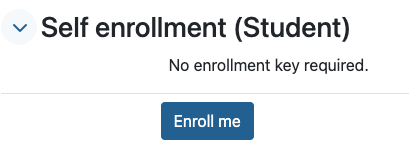
- Click the Enroll me button to enroll yourself in the course and gain access to the course materials.
- The course will be available under My courses in https://training.wooster.edu/
To explore available training courses, from the Training Home page:
- open the blocks drawer on the right-hand side and browse Course categories or tags
- scroll to the bottom of the Home page for a list of courses or use the search bar
Once the course has been identified:
- Review the course summary and details.
- Select the course title.
- Select the OpenID Connect button and sign in using your College credentials.
- If self-enrollment is enabled, click the Enroll me button to enroll yourself in the course and gain access to the course materials.
- For future access the course will be available under My courses in https://training.wooster.edu/
Last modified: Tuesday, October 6, 2026, 4:14 PM